For Milestone 3 we will be conducting user enactments of our ideas with 5 users/actors. The following are sketches and initial thoughts on what aspects of our ideas we want to enact and what we hope to learn from the enactments.
Concept: one-way communication
Scene 1: At the bus stop
The user is at the bus stop, which is in a lab or classroom with a whiteboard. The whiteboard has a sign which indicates the location of a bus stop. Text messages are used to simulate notifications from the app. A recording is played to simulate street noise at a real bus stop.
Script:
- Actor arrives to the bus stop.
- He receives a text message “ The bus arrives in 3 minutes”
- The actor will wait and be observed for 20 seconds.
- The actor will receive another text message” The bus is delayed, now arrives in 5 minutes”
- Observe the actor’s reaction and behavior for 20 more seconds.
Questions we hope to answer through this enactment:
Does the user value the opportunity to have a one-way communication on the bus? Does the user like the location alerts? Do they turn them off or increase their frequency? Is the last notification about their stop coming up valuable? What do they do before and after receiving the notification?

Concept 2: two-way communication
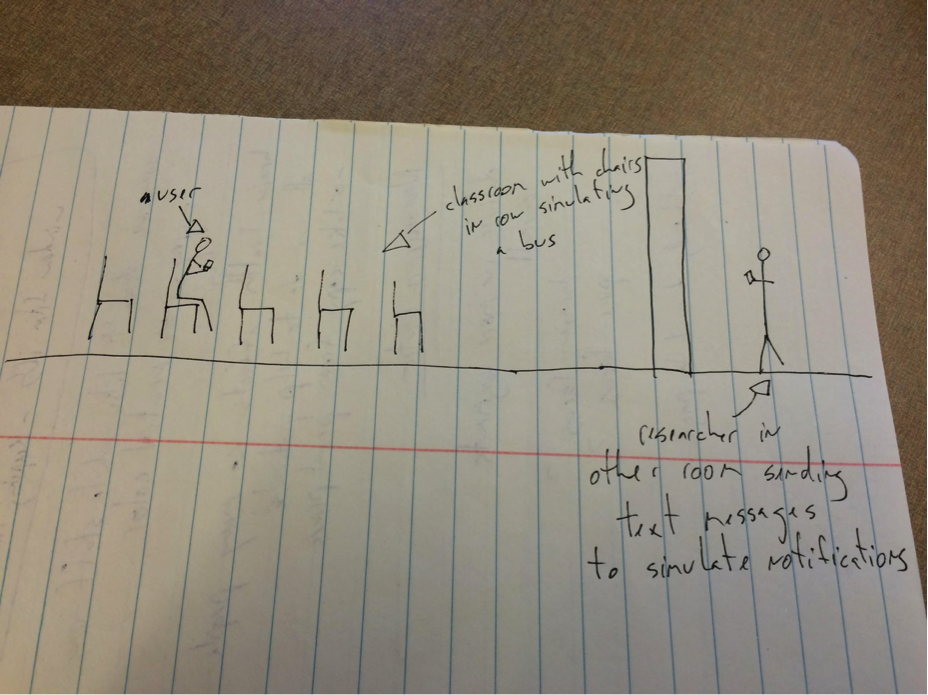
Scene 2: On the bus
Actor is seated in a chair in a room with chairs positioned in rows to simulate bus seating. Text messages again simulate app notifications but also app interactions in this concept.
Script:
- Actor is prompted via text message to reply with the bus stop where they want to get off. Another text message is sent to confirm bus stop and note that the bus driver has been alerted about their choice of destination
- Actor periodically receives text messages announcing where the bus is. Actor has the option to respond to text message and say they would like more frequent location alerts or they would like to turn off alerts.
- Finally a text message is sent to say their stop is coming up and they should get ready to get off the bus.
Questions we hope to answer through this enactment:
Does the user value the opportunity to have two-way communication on the bus? Does the user like the location alerts? Do they turn them off or increase their frequency? Is the last notification about their stop coming up valuable?

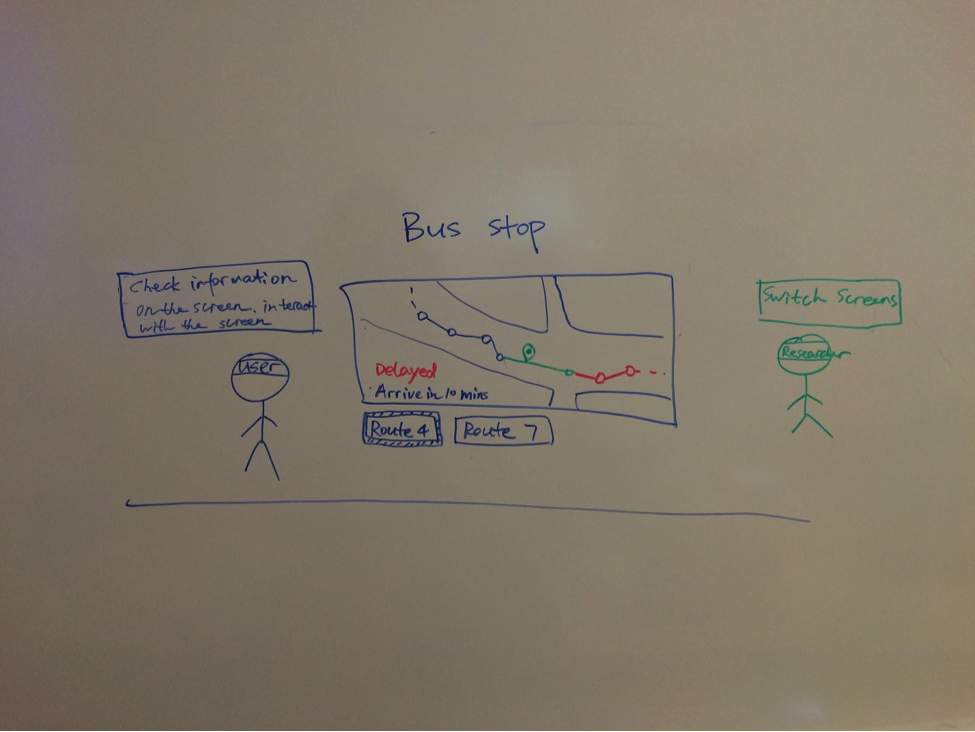
Concept: Interactive display at bus stop
Scene 1: At the bus stop
The bus stop is made up from foamcore. The interactive screen will be drawn on the board. A researcher will act as a wizard to react to the user’s operations.
Script
- Actor arrives at the bus stop
- Confederate will ask her to figure out bus information
- She will be free to check out the screen for 1 – 2 minutes
- Potential interactions include: tapping on a button to switch routes, tapping on a bus stop to check detailed information, zooming in/out the map, signifying the bus driver, etc.
Question we’d like to address from this enactment:
- What information would be most useful for bus riders to display on a screen at the bus stop?
- How will users interact with the digital screen at the bus stop?
